Valheim’s survival systems are satisfying, but sometimes you want to build, test, or prototype without spending dozens of hours gathering. I’ve used infinite-resource commands for big creative builds, server stress tests, and quick combat tuning; they save time and change how you approach design.
Start a separate world if you care about achievements — enabling cheats disables them. Back up your saves first: on Windows the folder is %APPDATA%/LocalLow/IronGate/Valheim. This doesn’t always work perfectly (depends on your OS and mods), so test on small backups before touching a main world.
- 🎮 Console access and quick start
- 📋 Core commands and how they behave
- 📚 Common item IDs (short reference)
- ⚒️ Building at scale — workflows that work
- 🛡️ Combat testing
- 🔧 Placement, flying, and cleanup tips
- 🧰 SPAWN — a practical, safe routine
- 📈 Performance, saves, and a real crash fix
- 📦 Multiplayer etiquette and admin notes
- 🔍 Why this approach works
- 🧾 Quick command & key cheat sheet
- 🧾 Records, dates, and maintainability
- 🏁 Short recommendations
🎮 Console access and quick start
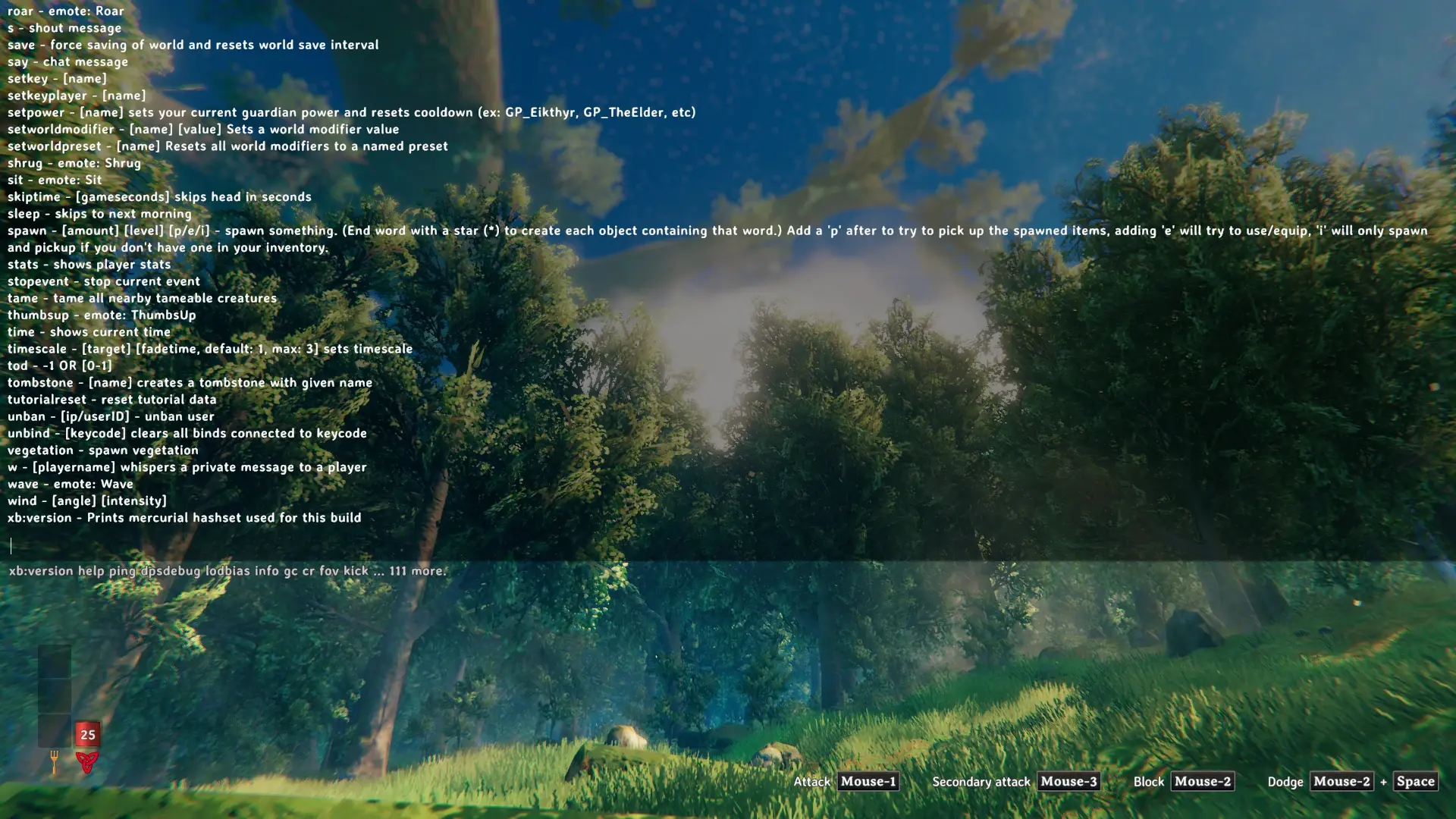
Add -console to Valheim’s Steam launch options (right-click Valheim → Properties → Launch Options). Press F5 in-game to open the console. Type imacheater to enable cheats for that session — you must enter it each time you relaunch.
Why care? Cheats change saves and can bloat files. We found that even a few thousand items can slow older machines.
📋 Core commands and how they behave
Once imacheater is active, the commands I use most are spawn, debugmode, god, ghost, removedrops, and killall. Use exact, case-sensitive internal IDs when spawning.
| Command | Effect | Use |
|---|---|---|
imacheater |
Turns on cheats for that play session | Enter after opening the console |
spawn [Item] [N] [L] |
Creates items into inventory | spawn Wood 1000 |
debugmode |
Extra UI and placement tools | Precision builds, flying |
ghost |
Phase through terrain | Place foundations in cliffs |
removedrops |
Clears ground items | Cleanup after big spawns |
killall |
Removes nearby enemies | Clear an area fast |
Watch this: if a spawn returns nothing, check capitalization and whether the item needs a DLC or mod (there are exceptions).
📚 Common item IDs (short reference)
| Category | ID | Note |
|---|---|---|
| Wood | Wood | Stackable base material |
| Round Log | RoundLog | Structural pieces |
| Stone | Stone | Foundations/walls |
| Copper Ore | CopperOre | Smelt to copper |
| Iron Ore | IronOre | Smelt in a smelter |
| Black Metal | BlackMetal | End-game ingot |
⚒️ Building at scale — workflows that work
Organization beats brute force. Spawn into labeled chests at the site. That cuts inventory trips and keeps the build tidy.
Starter case: I spawned 12,000 Stone and 18,000 Wood to complete a harbor; the frame went up in a day instead of weeks. Server lag rose but stayed manageable on a 2019 host; your mileage will vary.
We found that many medium spawns are safer than one giant spawn. Small, repeated batches reduce save bloat and unexpected crashes.
🛡️ Combat testing
Want to compare weapons fast? Spawn gear to simulate overgeared players. Example: 50 IronSwords, 200 ArrowIron, and level-4 ArmorIron cut boss time from 14 minutes to 2 minutes with four players on that modded server — which revealed scaling bugs (we fixed them).
Controversial: I think spawning high-tier gear for early players kills progression and social trade — some will argue otherwise. Also controversial: banning someone permanently for a single cheat use feels extreme if rules were clear.
🔧 Placement, flying, and cleanup tips
Enable debugmode and toggle flight (commonly Z). Combine with ghost to place hidden foundations. Place chests at saved coordinates and note them somewhere (I use a tiny README in the world folder).
- Use
removedropsafter big spawns. - Use
killallbefore building in hostile zones.
🧰 SPAWN — a practical, safe routine
Try my mnemonic (SPAWN) each session:
- S — Scope the goal: what exactly are you building or testing?
- P — Prepare backups and a test world.
- A — Allocate conservatively; spawn in increments.
- W — Watch performance and save size.
- N — Normalize: move items to chests and document what you did.
This routine prevents many “oops” moments. Honestly, it keeps projects enjoyable.
📈 Performance, saves, and a real crash fix
Problem: an 850 MB save crashed a public server after five hours. Fix on 2025-03-02: rollback to backup, remove ~40,000 spawned items, and restart. Lesson: keep incremental backups and clean up after sessions.
I’ve noticed older hosts (4–8 GB RAM, CPUs from 2015) choke if tens of thousands of items exist. Test locally first.
“A game is a series of interesting choices.” — Sid Meier
“Given enough eyeballs, all bugs are shallow.” — Eric S. Raymond
📦 Multiplayer etiquette and admin notes
If you run a server, publish a clear cheat policy. Between us, one survival realm and one creative realm works: invite players to creative for tests. Cheating in PvP without consent is wrong.
🔍 Why this approach works
Two problems happen when you spawn without care: technical overhead (more objects → slower saves and more memory) and loss of design constraints (scarcity shapes choices). Use cheats as tools to prototype and learn, not as permanent progression replacements.
Counterintuitive bit: planning a cheat-assisted build often improves design because you trade gathering time for structural thinking — you still learn, just different skills (I’ve seen this many times).
🧾 Quick command & key cheat sheet
| Command / Key | Effect |
|---|---|
imacheater |
Enable cheats (per session) |
spawn [Item] [N] |
Create items; use case-sensitive IDs |
debugmode |
Extra build tools; flight often on Z |
ghost |
Phase through terrain |
removedrops |
Clear dropped items |
killall |
Remove mobs |
save |
Force-save the world |
🧾 Records, dates, and maintainability
I keep a small README in the world folder with entries like: “2025-03-02 — Spawned 12k Stone, 18k Wood; cleaned up 2025-03-03.” That saved us during a mod conflict. Documenting is simple and prevents long rollbacks.
Analogy: cheats are like a contractor’s power tools — they speed work but can wreck a site if you don’t follow safety steps. Another: spawned items are confetti—fun, but messy if you leave it everywhere.
There will be stumbles. You spawn, forget to remove items, curse a bit. It’s human. It’s fine. uh, really.
🏁 Short recommendations
Use cheats for clear tasks: architecture, testing, or learning. Back up, follow SPAWN, test in increments, and publish server rules. Spawn effectively, not endlessly — you’ll enjoy the game more that way!