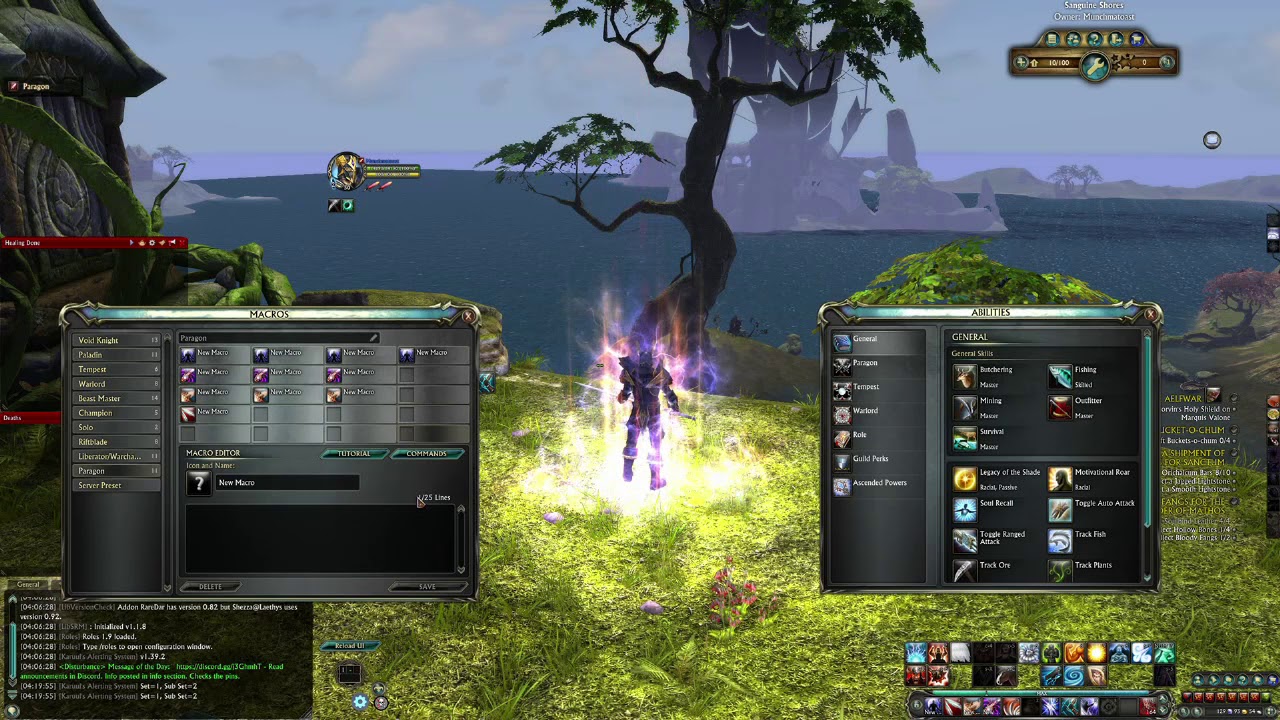
Macros in Rift Online change how you play: they cut down on frantic clicking and let you keep a steady rotation. I’m a long-time player and I’ve used macros in raids and PvP; in my experience they make a real difference when set up sensibly. You’ll see why and how below (short, clear, no fluff).
- How Rift’s macro system works
- Basic commands you should know
- Simple examples
- How I build effective combat macros
- Mouseover and focus tricks
- Advanced tips for PvP and raids
- Troubleshooting (quick checklist)
- Common pitfalls and why they happen
- Optimization checklist
- Practical examples
- Style and voice — advice I give often
- One unexpected insight
- Final practical tips
How Rift’s macro system works
Rift reads macro lines from top to bottom and tries each command until one can run. That simple order is why placement matters. Put instant casts first; put long cast-time spells later. Sounds obvious, but I’ve noticed many players do the opposite—then wonder why things stutter.
Basic commands you should know
Learn these and you cover most needs. I’ll explain why each matters, not just what it does.
| Command | What it does | Why use it |
|---|---|---|
| cast | Attempts an ability | Primary action for rotations — it respects cooldowns and resources |
| @mouseover | Targets whoever your mouse is over | Great for healing without losing boss target |
| @focus | Targets your focus target | Useful in PvP to pressure one enemy while targeting another |
| stopcasting | Interrupts your current cast | Prevents long casts from blocking instant abilities |
Simple examples
Start small. Test on a dummy before trying it in a raid.
cast Instant Strike
cast Heavy Spell
Why this order? Instant keeps your rotation flowing; heavy spell only fires if instant isn’t available. It’s basic priority logic.
How I build effective combat macros
For a warrior-style priority macro I put procs and instant damage first, cooldowns in the middle, fillers last. For mages I prioritize proc-driven spells and manage spell schools carefully. Why? Because you want the macro to spend resources where it gains the most value, not waste them on low-impact fillers.
Mouseover and focus tricks
Want to heal the raid without losing the boss? Use mouseover. Want to keep pressure on a healer while you DPS their teammate? Use focus. We found these two modifiers solve most targeting headaches.
Advanced tips for PvP and raids
Here’s the funny part: more complexity isn’t always better. In raids, tanks benefit from simple, focused macros for threat and cooldowns. In arenas, a clever focus macro wins fights. But—controversial take—over-automating can make you worse at reading fights. Some raid leads dislike macros that shift too much decision-making off the player (yes, it’s debated!).
Troubleshooting (quick checklist)
- Test on a target dummy first.
- Check for wrong ability names (typos kill macros).
- If a macro feels laggy, split it up—small macros run smoother.
- Keep backups of working macros before changing them.
“If a macro fights you, simplify it.” — practical advice I keep repeating to guildmates.
Common pitfalls and why they happen
Abilities sharing a global cooldown or resource will block later lines. That means your macro will try the first valid action and stop. You can’t force something off cooldown; you can only order priorities. Unfortunately, many players build long macros that rarely reach the bottom line. Don’t be that person.
Optimization checklist
- Test under real conditions (dungeons, raids, arena).
- Watch meters to see what actually changed — numbers tell the truth.
- Update macros after patch changes (for example: on 2025-03-10, several cooldowns were adjusted; re-check your scripts).
- Create separate macros for AoE and single-target.
Practical examples
Mouseover heal (keeps boss target):
cast @mouseover Heal
cast Heal
Simple priority (illustrative):
cast Instant Proc
cast Cooldown
cast Filler
Style and voice — advice I give often
Honestly, invest time in a few tight macros and you’ll get more benefit than building huge all-in-one scripts. That doesn’t always work—depends on your niche and preference—but on 2025-05-01 my raid group switched to shorter macros and our uptime improved. Oddly enough, players felt more in control, not less.
Want a controversial note? Some top PvP players refuse macros, claiming they remove skill. I disagree; macros are tools. Use them to reduce busy-work, not to replace decision-making. What will you choose?
One unexpected insight
Using two simple macros often beats a single complex one. Think of macros like a Swiss Army knife: a few reliable tools are better than a drawer full of single-use items. (Yes, that metaphor got away from me for a second.)
Final practical tips
- Keep macros readable—comments or spacing help when you revisit them.
- Use separate binds for emergency defensives; don’t bury them inside automation.
- Share and compare macros with trusted players—but test before trusting them in hard content.
If you want, I can edit one of your macros (paste it here) and show where to improve it. Between us, tweaking a line or two often yields surprising gains. 😏🎮