Updated November 26, 2025. I write as someone who’s played Rift for years and still tweaks my setup every week. Addons change how the game feels; they’re a toolbox, not a crutch.
Why pick addons? Because they save time, reduce mistakes, and let you focus on the fun. I’ve noticed they also make bad habits obvious—too many people blame gear when their interface is the problem. Curious?
- Combat tools that actually matter 🎯
- UI customization—make the screen yours 🎨
- Raid management that actually reduces chaos ⚔️
- Quality-of-life addons that repay the time invested ✨
- Money and crafting — practical tools for profit 💰
- Example strategies
- Keep performance smooth 🚀
- Practical rules and why they matter
Combat tools that actually matter 🎯
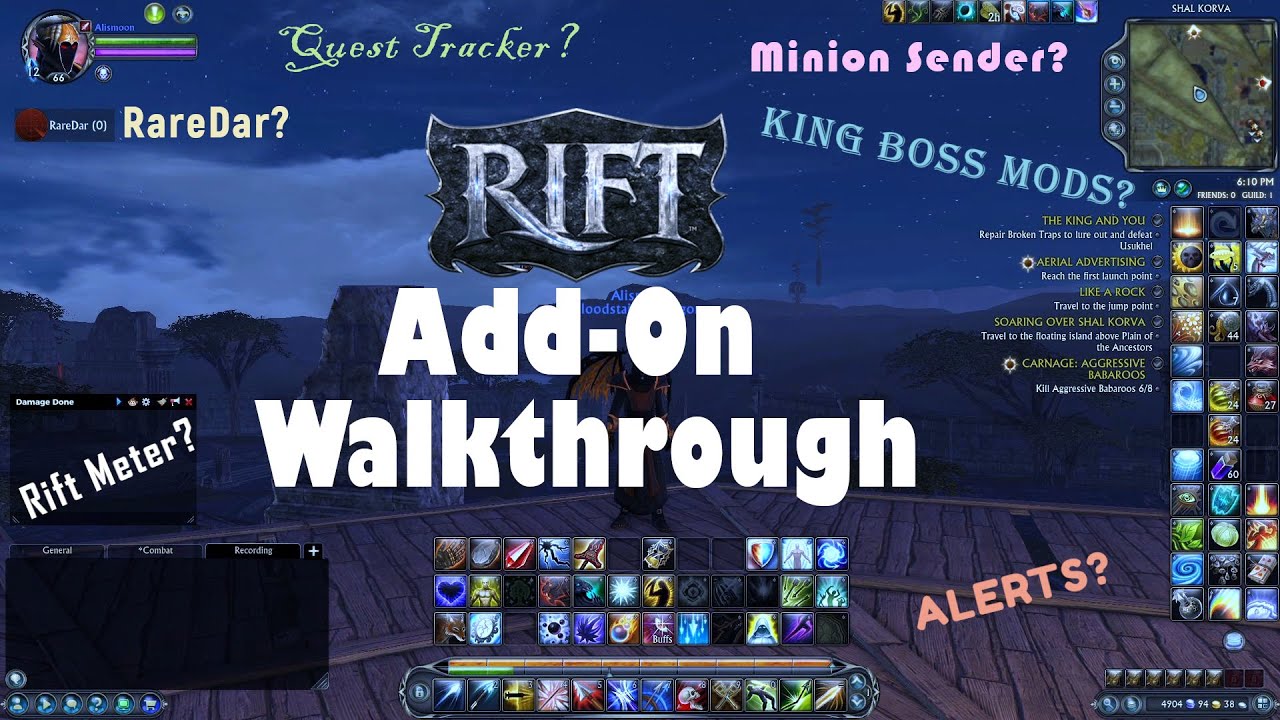
KBM (King Boss Mods) gives encounter timers and alerts. Use it to avoid deadly mechanics and to plan big cooldowns. Rift Meter records damage, buffs, and ability usage. You can see what you pressed and when—use that to fix rotation holes. Combine them, yes, but only after you learn your class; addons won’t fix poor fundamentals.
Short tip: watch your uptime.
Longer note: if you want faster improvement, log fights and review one thing at a time—cooldown timing, then buff uptime, then positioning. In my experience, small, repeated corrections beat a massive overhaul. And honestly, some raiders get obsessed with numbers; don’t be that person. There are exceptions, of course, depending on your guild’s expectations.
UI customization—make the screen yours 🎨
Gadgets lets you move nearly everything. nkRebuff cleans up buff/debuff tracking with custom zones. I use them together (they play nice most of the time). Customize why you need each element: bigger unit frames for healers, compact bars for DPS.
| UI Addon | Function | Impact | Custom |
|---|---|---|---|
| Gadgets | Move/resize UI elements | Medium | Extreme |
| nkRebuff | Track buffs/debuffs | Low | High |
| Roles | Group roles | Very Low | Medium |
| BagIt | Sort inventory | Low | Medium |
“Only show what matters.” — my rule for buff windows.
Raid management that actually reduces chaos ⚔️
RaidSummon automates invites and suggests comps. Click Box Healer gives compact frames plus incoming-heal and triage highlights. These tools speed setups and cut down on voice spam. Watch this: a clear UI and simple raid assignments save more wipes than perfect parses!
// Click Box Healer example
/cbh priority set tank 100
/cbh priority set healer 90
/cbh threshold critical 30
Controversial point: some guilds insist everyone uses the exact same addons. I think that’s unnecessary and kind of controlling. Use common tools, yes, but standardizing everything can punish good players with different preferences.
Quality-of-life addons that repay the time invested ✨
Banana sells junk, manages artifacts, and learns what you keep. TomTom for Rift adds waypoints and an arrow—great for farming. Minion Manager automates missions and can ping your phone. These add convenience and, importantly, reduce repetitive clicks so you play more and grind less.
By the way, always get addons from trusted sources like RiftUI or the official forums. Third-party repositories sometimes host broken or unsafe files; that’s a real risk.
Money and crafting — practical tools for profit 💰
Auctionator gives market scans and pricing suggestions. CraftingAssist tracks recipes and suggests profitable crafts. REX Tracker watches REX prices across shards and logs trades. Use these because they show the why: where margins come from and which materials drive profit.
Counterintuitive insight: sometimes flipping low-value stacks beats crafting high-ticket items, because turnover matters more than margin per unit. Strange, but true.
Example strategies
- Arbitrage between shards with Auctionator.
- Use CraftingAssist to time daily cooldowns.
- Watch REX Tracker for price swings (set alerts).
Keep performance smooth 🚀
Performance Monitor shows FPS, memory, and addon CPU. TextureReducer lowers non-essential texture quality for big events; players report 20–40% FPS gains in crowded areas when configured sensibly (balanced presets are best). AddonManager lets you load profiles: light for PvP, full for raids, minimal for quests. I use automatic profile switching and it saves me from constant fiddling.
/am create profile "Raid"
/am profile "Raid" add KBM
/am profile "Raid" add RiftMeter
/am profile "Raid" add ClickBoxHealer
Depends on your machine. This doesn’t always work the same on every rig. There are exceptions.
Practical rules and why they matter
Start small. Pick one addon for combat and one for UI. Learn them. Then add one more. That’s how you keep your game stable and your brain sane. I’ve watched players install twenty addons at once and then wonder why they crash—installing everything at once won’t work the way you expect.
Here’s the funny part: the best setup is the one you’ll actually use. Treat addons like tools in a mechanic’s kit—each has a purpose, and the right subset fixes the problem faster than a huge pile of gadgets. Like a Swiss army knife, but—well—less flashy.
Oddly enough, repeating checks every month helps. I clean and test my setup on the first Sunday of each month (yes, I know, obsessive). It keeps surprises down. Keep addons updated; many authors still maintain their work in 2025. Download from official community hubs and scan files if you’re nervous (antivirus check, please!).
Final note: experiment, but set limits. Some addons give clear gains. Others just add noise. If you want a quick start, install KBM, Rift Meter, Gadgets, nkRebuff, and one QoL addon like Banana. Then decide what to keep.
See you in Telara. Between us: the game’s better when you’re enjoying it. 🌟