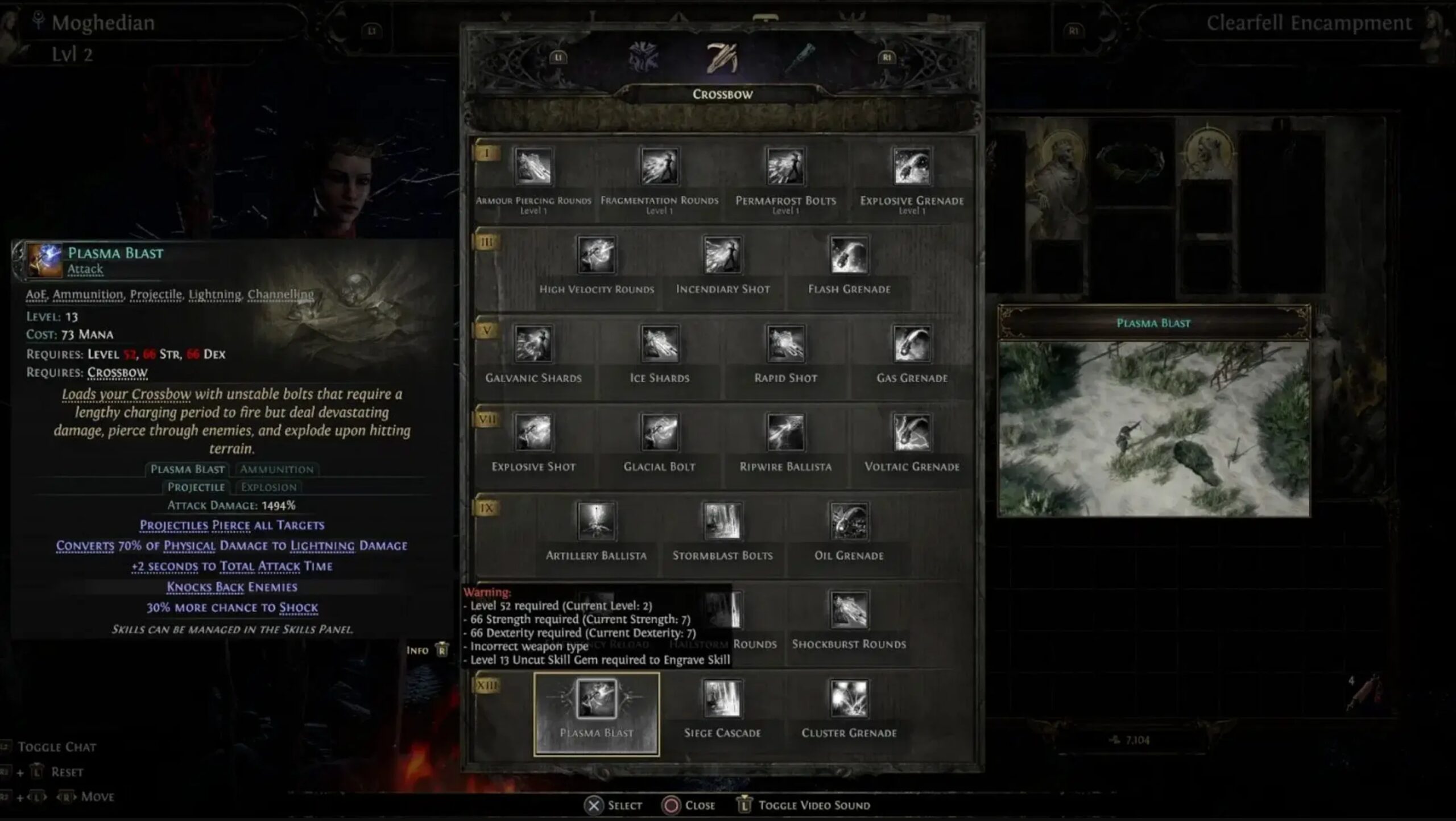
Path of Exile 2 adds an ammunition system that changes how ranged characters fight. I’ve played ranged builds for years, and I’ll tell you plainly: switching ammo well wins fights. You don’t need fluff — you need clear, practical steps and why they work.
Ammo types — what they do and why it matters 🏹
Ammo types have distinct roles: some pierce targets, some explode in a radius, and some carry elemental effects. Use piercing for single targets, explosive for clustered mobs, and elemental when you want to exploit a weakness. I’ve noticed players who understand the why (damage distribution, enemy resistances, status effects) make smarter loadout choices under pressure.
Oddly enough, carrying every ammo type at once usually slows you down. Two main types plus one situational option tend to cover most fights (there are exceptions, depends on your niche).
Keybinds — practical setup
Default switching (R) feels slow in intense fights. To be blunt: that default won’t keep up when you’re kiting and swapping often. Rebind to specific keys for immediate access. In my experience Q and E are great for primary choices; a mouse side button for utility is even better.
// Example keybinds I use (2025)
Primary ammo (pierce): Q
Secondary ammo (explosion): E
Utility ammo (elemental): Mouse Button 4
Cycle (if needed): Mouse Wheel
Why these keys? They keep your fingers on movement and skills. That reduces misclicks and reaction time by measurable seconds during boss windows — yes, seconds matter.
Quick switching habits that actually work 💨
| Situation | Ammo + When to Switch |
|---|---|
| Boss single-target | Piercing ammo — switch right before engagement |
| Large mobs | Explosive/splitting — swap while kiting |
| Shielded or elemental-weak foes | Elemental rounds — switch during dodge or cast downtime |
| Mixed groups | Chain/fork mechanics — change between packs |
Watch this: switch during short movements or skill cooldowns so your attack rhythm doesn’t break. You’ll make fewer mistakes and hit resistance windows more consistently.
Troubleshooting (real fixes) 🔧
Sometimes switching fails — animation locks or channeling stop inputs from registering. Try these steps (they usually work):
- Verify game files via your launcher
- Reset and reassign conflicting keybinds
- Disable overlays (Discord/Steam) — overlays can block inputs
- Update GPU drivers and test in a hideout for input lag
“If your inputs feel delayed, reduce graphics settings first — frame drops are the silent culprit.”
There’s controversy: some players swear macros are fine. I disagree — macros often get you inconsistent results and risk client bans if misused. Use hardware buttons instead (between us, it’s both safer and cleaner).
Practical tips, caveats, and a surprise insight
Honestly, you don’t need five ammo types. We found most fights are solved with two well-chosen rounds and a utility option. This doesn’t always work for every build, though (depends on your niche or a boss that punishes you for being predictable).
Why favor fewer types? Simplicity reduces mistakes and improves reaction time. Think of ammo like tools in a toolkit: too many and you fumble; two good wrenches and a screwdriver get most jobs done fast. Also, switching ammo doesn’t affect the attack already in motion — timing matters.
Counterintuitive tip: sometimes carrying a weaker elemental round yields better uptime because you can sustain status application constantly. It’s weird, but it works on certain resistant bosses.
Here’s the funny part — stream setups and overlays often brag about perfect switching, but they hide hotkey tricks or input smoothing. Don’t be fooled. Test in your own hideout, with your own latency, on 14 March 2025 or later patches — results can shift with balance updates.
One more practical bit (and then I’ll stop): practice in short drills. Five minutes swapping while moving and firing builds the muscle memory faster than an hour of random play. Try it daily for a week and you’ll feel the difference.
Final small push: stock a few ammo stacks before maps, check resistances, set quick keys, and don’t rely on cycling mid-combat — it’s slower. Now go practice — show Wraeclast you mean business! 🎯